Whether you're just getting into PC gaming, upgrading a console corner, or completely rebuilding your space from scratch, your physical setup matters more than most people realise. The right equipment, positioned well and maintained thoughtfully, doesn't just look good — it genuinely changes how comfortable, focused, and effective you are during long sessions.
This guide walks through every major element of a solid gaming setup: from choosing your display and peripherals, to organising your desk for comfort and clarity. We'll skip the marketing fluff and focus on what actually makes a practical difference.
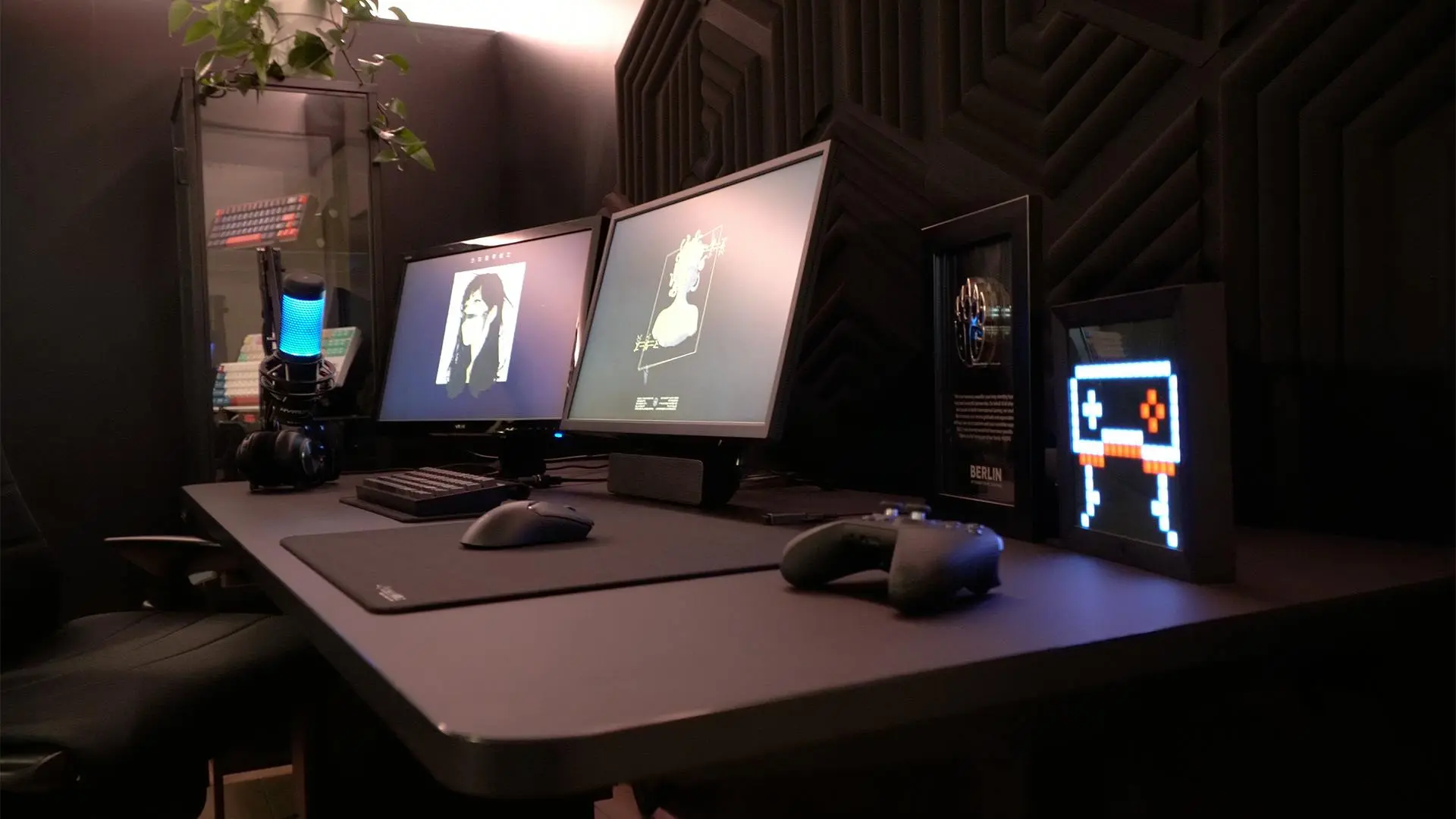
Starting With the Foundation: Your Desk and Chair
No amount of high-end hardware compensates for a setup that leaves you hunched, straining, or uncomfortable within an hour. The desk and chair are the literal foundation of your gaming environment, and skimping here tends to cost more in the long run — whether through discomfort, distraction, or even physical issues like back or wrist pain.
Choosing a Gaming Desk
Your desk doesn't need to be marketed as a "gaming desk" to work well. What matters most are surface dimensions, stability, and height. For most people, a surface of at least 120cm wide gives enough room for a monitor, keyboard, mouse mat, and a few small items without feeling cramped. If you use two monitors, aim for 150cm or wider.
Height is often overlooked. Your elbows should rest at or just below desk level when your arms are relaxed at your sides. Many standard desks sit around 75cm, which works for people roughly 170–185cm tall. If you're shorter or taller than that range, look for adjustable-height options — even a simple lever or crank mechanism can help you dial in a comfortable position.
Cable management clips, grommets, or under-desk trays are worth factoring in. A chaotic cable situation is distracting, and it makes cleaning more effort than it needs to be.
Seating: Where You'll Spend Most of Your Time
The debate between gaming chairs and ergonomic office chairs has gone on for years. The reality is that many gaming chairs in the £100–£200 range prioritise aesthetics over ergonomics, while a quality office chair in the same or slightly higher price bracket — from brands like HM, Secretlab, or even a well-chosen second-hand Herman Miller — often provides better lumbar support and adjustability.
Key things to look for in any chair: adjustable armrests (ideally 4D — up/down, in/out, forward/back, and swivel), lumbar support that actually contacts your lower back, and a seat depth that doesn't cut into the backs of your knees. Side bolsters that force your posture are generally less useful than a chair that supports a natural, relaxed sitting position.
Choosing Your Display
Your monitor is the most important visual element of your setup. It's worth spending a reasonable portion of your budget here, because nearly everything you do while gaming passes through it.
Resolution, Refresh Rate, and Panel Type
These three factors shape most of the display experience:
Resolution determines how much detail you can see. 1080p (Full HD) is still perfectly usable at smaller screen sizes (24–25 inches), while 1440p (QHD) offers a noticeably sharper image on larger panels (27 inches is the sweet spot). 4K is excellent but requires significantly more GPU power to drive at high frame rates — most value-conscious builds are better served by 1440p.
Refresh rate is how many frames per second your monitor can display. A 144Hz monitor will display motion much more smoothly than a 60Hz one — this matters especially in fast-paced games where spatial awareness and reaction timing are important. 165Hz and 240Hz options exist, and while the jump from 60 to 144 is dramatic, the difference between 165 and 240 is much harder to perceive in most gaming contexts.
Panel type affects colour, contrast, and response time. IPS panels offer excellent colour accuracy and wide viewing angles. VA panels have higher contrast ratios which help in dark environments. TN panels have the fastest pixel response times but typically poorer colour reproduction. For most gamers, a good IPS or the newer IPS-like technologies (Fast IPS, Nano IPS) offer the best overall balance.
For competitive gaming — particularly shooters or MOBAs — a 1080p or 1440p IPS panel at 144Hz or higher is a commonly recommended starting point. For single-player and story-driven games where image quality and atmosphere matter more, 1440p or 4K at 60–144Hz with a strong colour gamut is usually the better choice.
Monitor Positioning
Position your monitor so the top of the screen sits at or slightly below eye level. Tilting the panel back slightly (2–5 degrees) can reduce neck strain during long sessions. Keep it at arm's length — roughly 50–70cm from your face, though this varies with screen size. A monitor arm or adjustable stand makes fine-tuning this much easier than a fixed-height base.
Peripherals: Keyboard, Mouse, and Headset
Your peripherals are the tactile interface between you and the game. They don't need to be expensive to be good, but choosing them thoughtfully pays dividends in comfort and consistency.
Keyboards
Mechanical keyboards are popular in gaming circles for their tactile feedback and durability. The feel of a keyboard comes largely from its switches: linear switches (like Cherry MX Red) are smooth and quiet, making them comfortable for long gaming sessions. Tactile switches (like MX Brown) give a noticeable bump at the actuation point. Clicky switches (like MX Blue) are loud and satisfying but can be disruptive in shared spaces.
Form factor also matters. A full-size keyboard gives you a number pad; a tenkeyless (TKL) removes it to bring your mouse closer; 60% or 65% keyboards are more compact still. There's no universally correct choice — it depends on your gaming style and whether you use a number pad regularly in other work.
Mice
Mouse comfort is highly personal and depends significantly on your grip style. Palm grip users tend to prefer longer, slightly heavier mice; claw grip players often favour smaller, lighter designs; fingertip grip users generally want minimal contact with a very lightweight mouse.
For gaming, sensor performance is a key spec. Most modern gaming mice from reputable brands use high-quality optical sensors — check that the mouse you're considering uses a well-reviewed sensor with consistent tracking across different surfaces. DPI (dots per inch) is often marketed aggressively, but most PC gamers find their preferred sensitivity in a range that's comfortable at 400–1600 DPI regardless of what the mouse's maximum is.
Headsets and Audio
Good audio can genuinely improve your gaming experience — not just for immersion, but for practical spatial awareness in multiplayer games where hearing footsteps or gunfire direction matters. A headset with decent stereo or virtual surround sound performs well here. Look for comfortable ear cushions (memory foam over hard plastic), a good microphone if you communicate with teammates, and a sound signature that suits your preference — some headsets are tuned with heavy bass, others are more neutral.
Alternatively, a pair of quality stereo headphones paired with a separate microphone and a small audio interface or DAC can outperform many dedicated gaming headsets at a similar price point, with the added benefit of being usable beyond gaming.
Lighting, Cables, and the Finishing Touches
Once hardware is sorted, the details that complete a setup are often about organisation and atmosphere. Neither needs to be elaborate.
Ambient Lighting
Bias lighting — a light source placed behind your monitor that matches or approximates the average colour on screen — reduces the contrast between the bright screen and the dark room behind it, which can reduce eye fatigue over long sessions. Simple LED strips are inexpensive and easy to install. RGB lighting for aesthetics is optional and entirely personal preference.
Cable Management
Tidy cables serve a practical purpose beyond aesthetics: they make cleaning easier, reduce the chance of accidentally pulling a peripheral off the desk, and help airflow around your PC. Velcro cable ties, adhesive cable clips, and under-desk management trays are all cheap and effective solutions. Route cables away from your mouse movement area first, then deal with the rest.
Common Setup Mistakes to Avoid
A few patterns come up repeatedly when people talk about setups they later regret:
Over-prioritising aesthetics early on. A setup that looks great but physically strains you after an hour is worse than a plain-looking one that you can comfortably use for five. Build for comfort first; aesthetics are easy to layer in later.
Skimping on the chair. The chair is where you put your body — it directly affects your physical wellbeing. It's often the component most worth spending extra on.
Buying peripherals based on marketing claims alone. "Pro gaming" branding doesn't automatically mean better performance. Read reviews that test the actual hardware, not just the packaging.
Ignoring room acoustics. If you use speakers, the room you're in affects how audio sounds dramatically. Hard walls and floors create echo; soft furnishings absorb it. A simple desk mat and some soft surfaces go a long way.
Putting It Together: A Realistic Starting Point
If you're building a setup from scratch and working with a sensible budget, consider prioritising in roughly this order: chair and desk ergonomics first, then a good monitor appropriate to your hardware, then keyboard and mouse suited to your grip and game style, and finally audio. RGB lighting and decorative elements can come whenever feels right.
The goal is a space where you can focus, play comfortably for extended periods, and actually enjoy the time you spend gaming. The specifics of what that looks like will vary from person to person — and that's what makes setups a genuinely personal thing, not a checklist with a single right answer.
Take your time, buy thoughtfully, and don't let perfect be the enemy of good. A modest setup that you've dialled in to your preferences will always serve you better than an aspirational one that doesn't quite fit.